
Cart 0
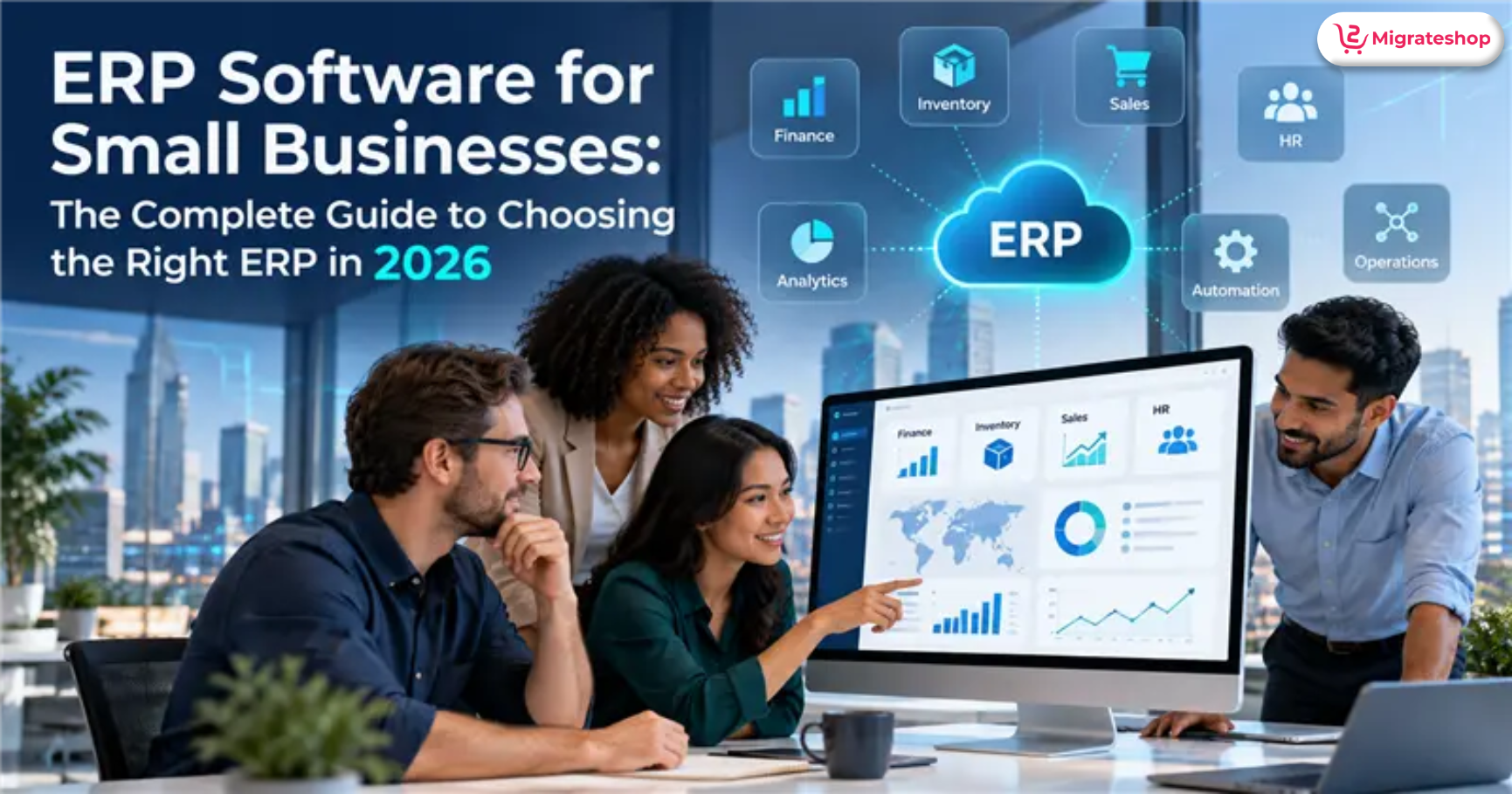
ERP software for small businesses can connect key functions—accounting, sales, purchasing, inventory, operations, and reporting—in one system.
However, not every small business needs an ERP.
Instead, the decision depends less on employee count than on operational complexity. If your business is increasingly dependent on spreadsheets, disconnected apps, manual data entry, or repeated reconciliation, an ERP may help create a more connected way of working.
The challenge is choosing a system that fits your actual requirements without paying for unnecessary features or taking on an implementation project your business cannot support.
In this guide explains how to determine whether you need ERP, what features to evaluate, how to think about ERP pricing and total cost of ownership, how implementation works, and what to ask vendors before making a decision.
Quick answer
To begin with, focus on your business problems rather than ERP products. First, document your workflows and identify your must-have requirements. Next, calculate the total cost of ownership, test shortlisted systems with real scenarios, and evaluate both the software vendor and the implementation partner.
Table of Contents
- What Is ERP Software, and Do Small Businesses Need It?
- How Much Does ERP Cost For A Small Business In 2026?
- How Do You Choose The Right ERP, Step By Step?
- Cloud Vs. On-Premise ERP: Which Is Better For SMBs?
- How Long Does ERP Implementation Take, And Why Do Some Fail?
- Which ERP Features Matter Most?
- How Is AI Changing ERP for Small Businesses?
- What Should You Ask An ERP Vendor About AI?
- Small-business ERP Selection Checklist
- Final Takeaway
1. What is ERP software, and do small businesses need it?
ERP (enterprise resource planning) software integrates main business functions such as accounting, inventory, purchasing, sales, manufacturing, projects, and reporting.
For startups or small businesses, however, ERP becomes worth evaluating when disconnected systems, spreadsheets, manual processes, or repeated reconciliation make it difficult to control operations or make timely decisions.
It develops a common operational framework instead of trying to have each department store its information.
For example, this could be the flow of a customer order:
Quotation
1. Sales order
2. Inventory check
3. Purchase or production
4. Delivery
5. Invoice
6. Payment and profitability report
With no such system, each step may use a separate application or spreadsheet.
That creates opportunities for:
- Duplicate data
- Manual data entry
- Outdated inventory figures
- Inconsistent customer information
- Delayed financial reporting
- Manual reconciliation
- Difficult management reporting
Does every small business need ERP?
No. ERP is not automatically the right choice for every small business.
For a small consulting firm of five staff, and perhaps with simple billing, software to manage accounting, customer relationships, and projects might be more appropriate.
For example, a five-person consulting firm with easy billing, limited inventory, and a straightforward project management system may be adequately served by separate accounting, CRM, and project-management tools or software.
By contrast, a 30-person distributor with multiple warehouses, hundreds of SKUs, purchasing requirements, and several sales channels may have a stronger case for an integrated ERP system.
Operational complexity matters more than employee count alone.
Indicators that your company has outgrown spreadsheets
You may need to evaluate ERP if:
- Inventory figures regularly differ from physical stock.
- Employees all have different copies of the same spreadsheet.
- Finance spends hours consolidating information from multiple systems.
- You cannot manage profit by product or customer instantly.
- Sales cannot reliably see available inventory.
- Purchasing decisions depend on manually prepared reports.
- You operate multiple warehouses or locations.
- Your business has outgrown the way you do admin.
2. How much does ERP cost for a small business in 2026?
ERP costs vary widely depending on the no of users, modules, deployment model, implementation scope, integrations, customization, training, and ongoing project support.
The software subscription or license is only one part of the total investment. For a realistic budget, compare the ERP’s total cost of ownership (TCO), including implementation, migration, integrations, training, support, and internal staff time.
Before going to compare ERP vendors, separate software cost from implementation cost.
Moreover, a system with a lower subscription price can still cost more overall if it needs extensive customization, difficult data migration, expensive integrations, or significant internal administration management.
ERP cost considerations by company size
| Business size | Typical requirements | Major cost considerations |
| 1–10 employees | Accounting, invoicing, CRM, basic inventory | Users, applications, integrations |
| 11–50 employees | Finance, inventory, sales, purchasing, reporting | Implementation, migration, training |
| 51–200 employees | Multi-department ERP, warehouses, advanced reporting | Integrations, customization, implementation |
| 200+ employees | Multi-entity and complex operational processes | Consulting, governance, integrations, support |
Public pricing also illustrates why ERP costs should be compared carefully.
What hidden ERP costs should you consider?
Your budget should account for:
- Implementation
- Data cleansing
- Data migration
- Integrations
- Custom development
- Training
- Testing
- Reporting
- Support
- Internal employee time
A simple five-year TCO calculation can be:
5-year TCO = software + implementation + migration + integrations + customization + training + support + internal administration
This is how a lower price point doesn’t necessarily translate to a lower-cost ERP.
3. How do you choose the right ERP, step by step?
Choose an ERP based on your business requirements, not vendor marketing or a product’s feature count. Start by documenting your current workflows and problems, define must-have requirements, check integrations and local compliance, compare total costs, test shortlisted systems with real business scenarios, and evaluate the implementation partner before signing a contract.
Step 1: Map your existing workflows.
Document how your business handles:
- Sales
- Purchasing
- Inventory
- Accounting
- Manufacturing
- Projects
- Customer service
- Reporting
This gives vendors something concrete to demonstrate.
Step 2: Pinpoint the issues that require solutions
Evaluate how much business impact any given major problem would have.
For example:
Problem: Inventory data is frequently inaccurate.
Potential impact: Possible consequences: Urgent buying, late delivery, surpluses, and the hours employees devote to keep reconciliations.
This is far more informative than the much less helpful:
“We need an inventory module.”
Step 3: Create a requirements matrix
Divide requirements into:
| Category | Meaning |
| Must have | Business cannot operate effectively without it |
| Should have | Important but has alternatives |
| Nice to have | Useful but not essential |
| Future | May be required as the business grows |
Step 4: Evaluate integrations
Check compatibility with your existing:
- Accounting systems
- CRM
- E-commerce platform
- Payment gateways
- Banks
- Payroll
- Shipping systems
- Tax systems
- Business intelligence tools
Step 5: Check local compliance
For instance, if you have a company in India, look at the GST, e-invoicing, e-way bill, tax reporting, TDS / TCS, and relevant HSN / SAC procedures.
Do not assume that a vendor’s generic statement about “tax compliance” covers every local requirement.
Request a walkthrough of the precise process.
Step 6: Test vendors using real scenarios
Instead of asking:
“Can your ERP manage inventory?”
ask the vendor to demonstrate:
Sales order → inventory check → purchase missing stock → receive goods → update inventory → ship order → invoice customer → record payment → report margin.
This reveals much more about the practical fit of the system.
Step 7: Evaluate the implementation partner
The software is only part of the project.
Ask prospective partners about:
- Industry experience
- Similar implementations
- Project methodology
- Data migration
- Training
- Testing
- Support
- Service-level agreements
- Upgrade strategy
- Customer references
4. Cloud vs. On-Premises ERP: Which is better for SMBs?
Cloud ERP is often attractive to small and midsize businesses because it can simplify the need to manage servers, infrastructure, backups, and software updates internally.
On-premises ERP offers greater direct control over the environment but usually requires more responsibility for hardware, security, maintenance, backups, and upgrades.
The right selection depends on your IT resources, compliance needs, integrations, security requirements, and total cost of ownership.
Cloud ERP
Potential advantages:
- Remote access
- Less server infrastructure
- Easier scaling
- Vendor-managed updates
- Subscription-based pricing
Potential considerations:
- Recurring subscription costs
- Internet dependency
- Vendor dependency
- Data residency requirements
- Integration limitations
On-premise ERP
Potential advantages:
- Greater infrastructure control
- More control over deployment
- Potential fit for specialized environments
Potential considerations:
- Hardware costs
- IT administration
- Security responsibility
- Backup management
- Upgrade responsibility
There is no universal winner.
Which option is correct will vary according to the compliance, IT, security, integration, and total cost of ownership needs.
5. How long does ERP implementation take, and why do some fail?
ERP implementation can take weeks to many months, depending on business complexity. The main factors are the number of users and locations, modules, integrations, data quality, customization, testing requirements, and organizational readiness. A smaller standardized deployment can move faster than a highly customized multi-entity implementation.
Typical ERP implementation phases
| Phase | Main activities |
| Discovery | Requirements and process mapping |
| Design | Workflows and system architecture |
| Data preparation | Cleansing and migration |
| Configuration | Modules, roles and settings |
| Integration | Connecting other systems |
| Testing | Functional and user acceptance testing |
| Training | Preparing employees |
| Go-live | Launch |
| Stabilization | Fixing issues and optimizing workflows |
Why do ERP implementations struggle?
Common project risks include:
- Unclear requirements
- Excessive customization
- Poor-quality data
- Inadequate testing
- Weak employee adoption
- Insufficient training
- Unrealistic deadlines
- Poor project governance
- Selecting an implementation partner without sufficient due diligence
Understanding and simplifying a process before automating it in the ERP.
6. Which ERP features matter most?
The ERP SaaS features worth paying for include those that make the core processes of your business easier to execute. For many SMBs, being able to get their financials, inventory, purchasing, sales, reporting, integrations, security, permissions, audit trails, and automation right is worth much more than a dozen fancy modules that will go largely unused.
Financial management
Look for:
- General ledger
- Accounts payable
- Accounts receivable
- Tax management
- Cash-flow reporting
- Financial statements
- Budgeting
Inventory management
Depending on your industry, useful features may include:
- Real-time inventory
- Multiple warehouses
- Batch tracking
- Serial-number tracking
- Reorder levels
- Stock valuation
- Demand planning
Purchasing
Important capabilities include:
- Purchase orders
- Supplier management
- Approval workflows
- Purchase reporting
- Receiving
- Supplier performance tracking
Sales
Sales ideally should be directly linked to inventory and finance.
A typical workflow should be:
Lead → quotation → order → fulfillment → invoice → payment
Reporting
A useful ERP should make it easier to answer questions such as:
- Which products generate the highest margin?
- Which customers owe money?
- Which inventory is slow-moving?
- Which suppliers are causing delays?
- What is the company’s current cash position?
7. How is AI changing ERP for small businesses?
AI is gradually finding its way into ERP and business-management applications to handle document processing, forecasting, reporting, natural-language questions, anomaly detection, and task guidance. For SMBs, however the actionable IT opportunity is to alleviate recurring administrative chores and expedite the meaning of business data for employees.
More importantly, the distinction is between AI as a useful business capability and AI as a marketing label.
Practical ERP AI use cases
1. Document processing
AI can be used to extract data from invoices and other documents to save on tedious manual data entry.
2. Financial analysis
Natural language interfaces have the potential to improve staff’s ability to navigate business information.
3. Forecasting
AI and ML models can analyze historical and current business information to support demand forecasting and planning.
4. Workflow automation
Expert systems using AI can support specified repetitive tasks with the application of suitable controls.
5. Anomaly detection
AI can support repetitive work processes by classifying information, generating needs and recommendations, or triggering defined actions under appropriate controls.
8. What should you ask an ERP vendor about AI?
Ask:
- What data can the AI access?
- Is customer data used to train models?
- Can users review AI-generated results?
- Can AI execute transactions?
- Are approval controls available?
- Are AI actions logged?
- What happens when the AI is wrong?
- How is sensitive information protected?
AI should therefore be treated as one component of ERP selection—not the sole reason to purchase a particular platform.
9. Small-business ERP selection checklist
Before choosing an ERP, confirm that you can answer these questions:
- What business problems are we trying to solve?
- Which requirements are genuinely mandatory?
- What is our five-year TCO?
- Which processes should be simplified before implementation?
- Which integrations are mandatory?
- What local compliance requirements apply?
- How will existing data be cleaned and migrated?
- Who owns the implementation internally?
- Who will train employees?
- How will the system be tested?
- What support SLA will we receive?
- What happens if we need to customize the system?
- How will upgrades affect customizations?
- Can we export our data if we change systems?
So far, the Migrateshop’s ERP software is one option businesses can explore as part of that evaluation. Review the solution against your documented requirements before deciding whether it fits your organization.
10. Final Takeaway
In conclusion, choosing an ERP in 2026 needs to be a business-process choice—not just software selection. To begin by recognizing what operational issues are taking time, money, accuracy, or transparency from your organization.
Once those challenges are clear, compare ERP platforms based on the functionality, usability, integrations, compliance, security, implementation ability, scalability, and total cost of ownership.
Furthermore, AI is worth thinking about, but it shouldn’t get in the way of the basics. In fact, a system employees can use as intended, that plays nicely with the rest of your tech stack, gives you trustworthy data, and supports the workflows that matter.
Therefore, don’t buy the biggest ERP. Choose based on operational fit. Ultimately, the aim is to set up a solid operation that meets your existing needs but also will serve the future direction of your business.
FAQs
What is ERP software?
ERP software connects core business functions such as finance, sales, purchasing, inventory, manufacturing, projects, and reporting in one integrated system.
Is ERP worth it for a small business?
ERP can be worthwhile when manual processes, disconnected systems, inventory problems, or limited reporting create measurable operational costs. Businesses with very simple processes may not need a full ERP.
What is the cheapest ERP for a small business?
There is no universally cheapest ERP. Some vendors offer free or low-cost entry plans, but implementation, migration, integrations, support, and customization can significantly affect the final cost.
How many employees should a company have before buying ERP?
There is no universal employee threshold. Operational complexity is usually more important than headcount. A small manufacturing company may need ERP sooner than a larger professional-services company with simple processes.
Is cloud ERP better than on-premise ERP?
Neither is automatically better. Cloud ERP can reduce infrastructure responsibilities, while on-premise deployment can provide greater control. The decision should consider security, compliance, IT resources, integrations, and TCO.
How long does ERP implementation take?
Implementation can range from several weeks to many months. Data quality, customization, integrations, number of locations, testing requirements, and organizational readiness all influence the timeline.
Can ERP replace accounting software?
Many ERP systems include accounting capabilities. Whether an ERP should replace your current accounting platform depends on its financial functionality, local compliance capabilities, integrations, and business requirements.
What questions should I ask an ERP vendor?
Ask about five-year TCO, implementation methodology, data migration, integrations, security, support SLAs, training, customization, upgrades, customer references, data export, and contract terms.
About This Guide
Author: Rathika J
Published: October 2026
Editorial Notes
ERP pricing, features, implementation requirements, security capabilities, integrations, AI functionality, and regulatory requirements can vary by vendor, business size, industry, location, and deployment model.
This guide gives you general information to help small businesses evaluate ERP software. Vendor-specific claims, pricing, product capabilities, and applicable regulatory requirements should be verified with the relevant vendor or authoritative source before making decisions about purchase, implement, tax, accounting, security, or compliance.
ERP selection should be based on your organization’s actual working flows, requirements, budget, implementation capacity, and long-term total cost of ownership rather than on feature lists or promotional claims alone.
This guide does not constitute legal, tax, accounting, financial, cybersecurity, or other professional advice.