

Cart 0
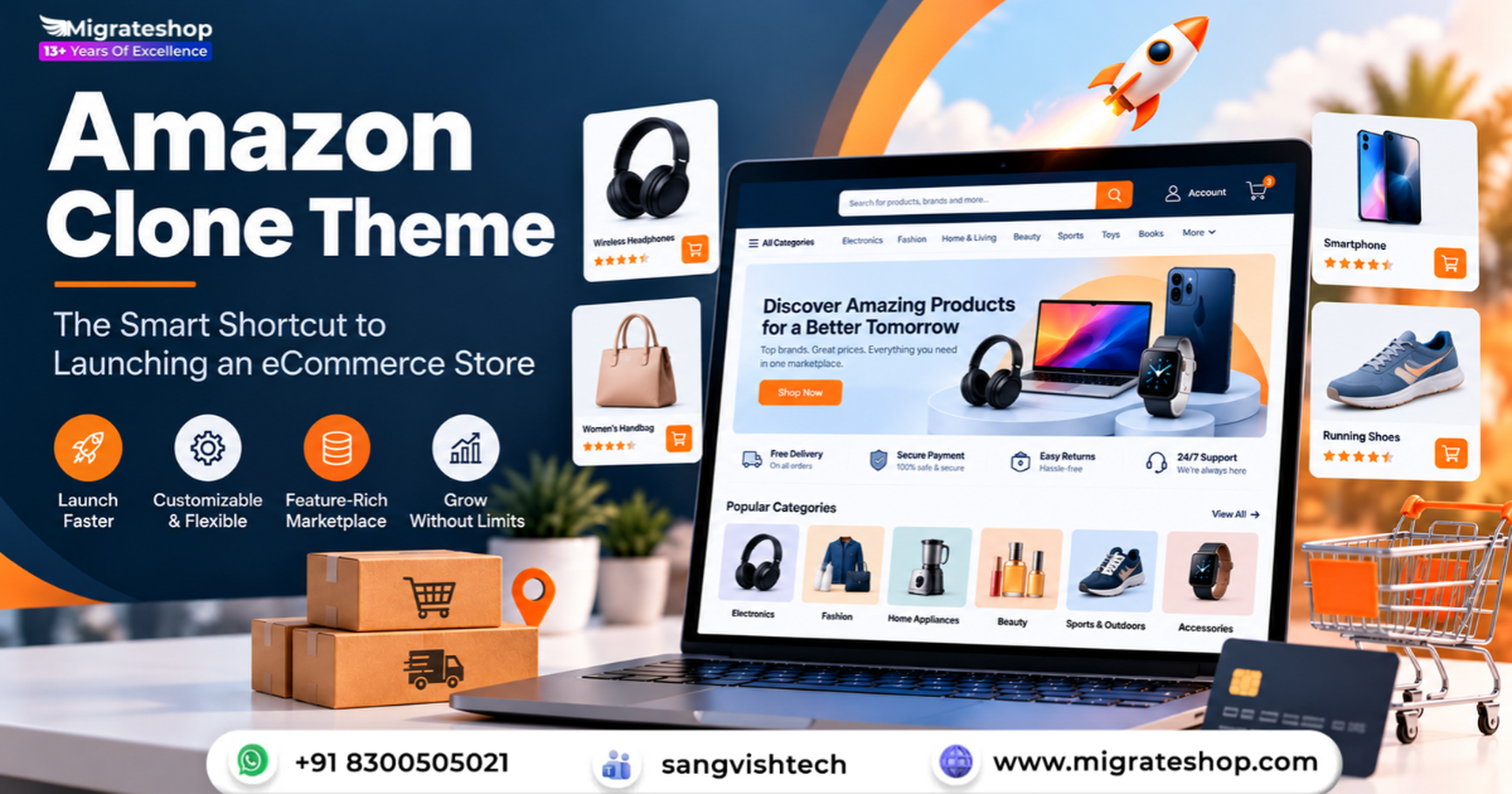
Starting an online store used to mean months of planning, a team of developers, and a budget that scared off most first-time founders. Today, the fastest route from idea to first sale is much shorter, and it often begins with an Amazon clone theme. If you want a marketplace-style store without building every feature from scratch, this is the shortcut worth understanding.
What Is an Amazon Clone Theme?
An Amazon clone theme is a ready-made website template, most often built for WordPress with WooCommerce or for platforms like Shopify and Magento, that recreates the look, layout, and core functionality of a large marketplace. It is not about copying a brand. It is about borrowing a proven structure: a prominent search bar, a mega menu for categories, product grids with ratings, a detailed product page, a smooth cart and a simple checkout.
Shoppers already know how to use this layout. That familiarity is the real value. When visitors land on your store and instantly understand where to click, they stay longer and buy more.
Why Founders Choose the Shortcut?
Speed to market
A custom marketplace can take six months or more to design, develop, and test. A quality theme can be installed and configured in days. That gap matters, because every week you spend building is a week you are not learning from real customers.
Lower upfront cost
Custom development often runs into tens of thousands of dollars. A premium theme typically costs a small fraction of that. The savings can go into inventory, marketing, and customer support, which are the areas that actually decide whether a store survives.
A proven user experience
Marketplace layouts have been refined through years of testing across millions of shoppers. By adopting a similar structure, you inherit those lessons without paying for the research.
Room to grow
Most modern themes are modular. You can start with a simple single-vendor shop and later add features such as multi-vendor support, wishlists or product comparison as your business expands.
Key Features to Look For
Not all themes are equal. Before you buy, check that the one you choose includes the essentials.
Advanced search and filtering. Customers should be able to search by keyword, category, price, brand, and rating. Live search suggestions are a big plus, because they shorten the path to the product.
Mega menu navigation. A store with hundreds or thousands of products needs clear categories. A well-built mega menu lets visitors drill down quickly without feeling lost.
Mobile responsiveness. More than half of online shopping now happens on phones. Your theme must look and perform flawlessly on small screens, with touch-friendly buttons and fast loading.
Multi-vendor compatibility. If you plan to run a marketplace where several sellers list products, confirm the theme works with plugins like Dokan, WCFM, or WC Vendors.
Product page essentials. Look for image galleries with zoom, customer reviews, variation swatches, stock indicators, and related product sections.
Fast checkout. One-page checkout, guest checkout, and multiple payment gateways reduce abandoned carts, one of the biggest silent revenue killers in eCommerce.
SEO and speed optimization. Clean code, schema markup support, and lightweight design help you rank in search results and keep visitors from bouncing.
How to Launch Your Store in Five Steps?
- Choose your platform. WordPress with WooCommerce offers flexibility and ownership, while Shopify offers simplicity and managed hosting. Pick the one that matches your technical comfort.
- Select a theme. Compare demos, read reviews, and check update history. A theme that is regularly maintained is safer and more secure.
- Install and import demo content. Most themes offer one-click demo import. This gives you a working layout immediately, which you can then replace with your own products and branding.
- Customize the design. Update your logo, colors, fonts, and homepage banners. Keep the layout familiar, but make the visual identity unmistakably yours.
- Add products, payments, and shipping. Upload your catalog, connect payment gateways, set shipping rules, and test the entire purchase journey before going live.
Customization Is Where You Stand Out?
A theme gives you a strong foundation, but your competitive edge comes from what you build on top. Write original product descriptions. Invest in good photography. Create a clear return policy and visible trust signals such as secure payment badges and customer testimonials. Add a blog to attract organic traffic and build authority in your niche.
You can also differentiate through service. Fast shipping, helpful live chat, and personalized recommendations make a store feel premium even when it is built on a template.
Is an Amazon Clone Theme Right for You?
This approach is ideal if you are launching a general store with a wide catalog, building a niche marketplace with multiple vendors, testing a business idea with a limited budget, or migrating from a slower, outdated site.
It may be less suitable if you need a highly unique shopping experience, such as a configurator-driven product or a subscription-first model. In those cases, a theme can still serve as a prototype before you invest in custom development.
The Bottom Line
Launching an eCommerce store does not have to be slow, expensive, or risky. An Amazon clone theme gives you a familiar, conversion-friendly layout, essential marketplace features, and a faster path to your first customer. The key is to treat it as a starting point rather than a finished product: choose a well-built theme, customize it with your own brand, keep performance tight, and focus relentlessly on the customer experience.
The businesses that win online are rarely the ones with the most complex websites. They are the ones that launch early, learn quickly, and improve constantly. With the right theme, you can do exactly that, and start turning your idea into revenue in a matter of days instead of months.
FAQs
1. What is an Amazon Clone Theme?
It is a pre-designed eCommerce website template that helps businesses create an online shopping platform with features like product listings, search, shopping carts, and checkout.
2. How can it help me launch an online store faster?
It provides essential website layouts and shopping functionalities, reducing the time and effort required for development. You can customize the design, upload products, and prepare your store for launch.
3. Can I customize the design to match my brand?
Yes. You can update the logo, colors, fonts, banners, homepage sections, and product layouts to create a shopping experience that reflects your brand.
4. Can I allow multiple sellers to sell products on my website?
Yes, if the solution includes multi-vendor functionality. Sellers can register, manage their product listings, process orders, and monitor their sales through dedicated dashboards.
5. Is this solution suitable for startups and small businesses?
Yes. It offers a convenient starting point for entrepreneurs and small businesses that want to enter the eCommerce market without investing heavily in building a website from scratch.

You may also like

Enhancing User Experience with a ChatGPT Clone: Tips and Best Practices
Enhancing User Experience with a ChatGPT Clone: Tips and Best Practices
In the digital environment, chatbots have emerged as indispensable tools for enhancing the user experience...

The Ultimate Guide to Launch Your Own YouTube Clone App
The Ultimate Guide to Launch Your Own YouTube Clone App
YouTube has been one of the most popular and influential platforms on the internet since...

Udemy Clone: A Roadmap to Scaling Your Online Course Business
Udemy Clone: A Roadmap to Scaling Your Online Course Business
The last few years have seen an incredible rise in the e-learning sector, fueled by...