

Cart 0
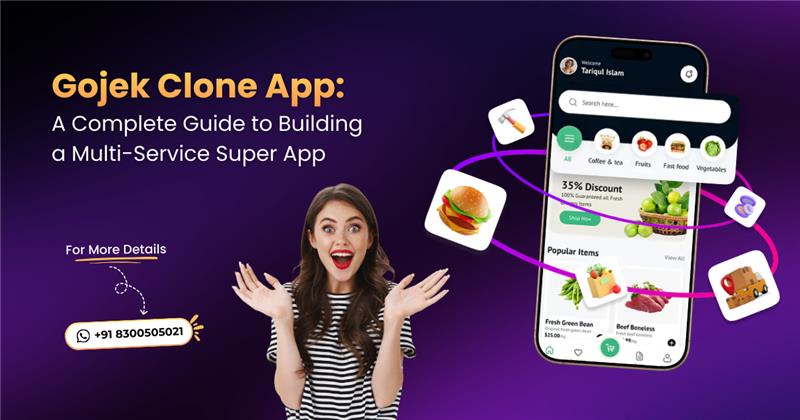
In the modern digitalized economy, the user must get convenient, fast, and numerous services in a single platform. For entrepreneurs and startups, developing a Gojek clone app is a profitable way to enter the on-demand economy with a scalable, multi-service application.
This tutorial explains everything you need to know about designing a Gojek-type super app, including features and technology stack, development flow and costs, and emerging trends.
What is a Gojek Clone?
A Gojek clone is a pre-written, configurable computer code to imitate the Gojek super-app of Indonesia. This allows businesspeople to create a single application that provides a broad selection of on-demand services.
It combines ride-hailing, food/grocery delivery, and handyman services into a single app, which lowers the cost and time of development.
Key Aspects of a Gojek Clone
Super App Capability: Will integrate various services into one so that a customer does not have to install different applications.
Components: The solution will consist of a user application, a driver application, a service provider application (for the shops/handymen), and an administrative panel.
Ready-to-Launch: It is as opposed to building upfront; these scripts are already built, and one can enter the market in a few weeks, as compared to months.
Core Features: It is used with functions of real-time tracking, a safe payment gateway (cards, wallets, UPI), in-app chat/calling, and rating systems.
Customization: These solutions tend to be white-label, or in other words, to be customized with certain branding, languages, and currencies to fit in local markets.
On-demand business is based on a Gojek clone, which allows businesses to quickly become a one-stop shop for customers, therefore increasing engagement and building a scalable and comprehensive business.
What is the Gojek Clone App?
A Gojek clone application is a pre-developed, white-labeled software platform that emulates the business model of Indonesian super-app Gojek and lets entrepreneurs create a multi-service, on-demand platform in a fast and easy way.
It enables companies to use a single brand to provide 100+ services, including taxi booking, food delivery, courier services, and others, in one application.
The Reason to Build a Gojek Clone Super App?
Gojek clone super app development will allow entrepreneurs to create a multi-service platform, that is, taxi-hailing, food, and 100+ services with a single brand to ensure high revenues, attract and keep users, and have high-efficiency operations. It offers a flexible, pre-prepared, and low-cost solution to entering the market fast.
The following are the major reasons to develop a Gojek clone super app:
Fast Market Entry and Low Development: A Gojek clone script will require far less time and cost to develop in comparison to a real application and can therefore launch a high-quality, multi-service platform at a very low cost and within a much shorter time.
Multiple Revenue Streams: The platform offers many different ways of generating income as a commission on different types of varied services, such as ride-hailing, courier, and handyman services.
More User Convenience and Retention: It brings many services in one app, which eliminates the necessity of users downloading multiple apps and ensures a higher retention rate, brand loyalty, and improved user experience.
Advanced Functionalities: These clones are equipped with advanced and built-in functionalities such as real-time tracking, artificial intelligence, multi-payment platforms, and chat features.
A Gojek clone will be viewed as a strategic move to create a one-stop-shop platform that offers high returns that are scalable in the on-demand economy that is on the rise.
Basic Modules of a Gojek Clone Application
A Gojek clone application comprises three fundamental user-facing applications, such as the Customer App, Driver/Service Provider App, and Store/Vendor App, all controlled by a powerful Admin Panel.
Major characteristics will be real-time GPS tracking, safe multi-payment gateways, in-app chat/call, and 100+ on-demand services, including ride-hailing, food delivery, courier, and home services.
1. Customer App Module
Register/Log in: Effortless social media registration through sign-up, phone, or email.
Multi-Service Picking: One gateway to pick taxi, food, groceries, or parcels.
Real-Time Tracking: Ride and delivery GPS tracking.
Safe Payments: Wallet, Card, and UPI Integration.
Reviews and ratings: Driver and store feedback.
2. Service Provider App Module/Driver App Module
Profile Management: Can control the service listings and availability.
Order Management: Receipt or rejection of orders.
Navigation: built-in GPS to optimize the routes.
Earnings Tracker: Inclusiveness of daily/weekly incomes.
3. Store/Vendor App Module (Restaurants/Groceries/Shops)
Dashboard: Inventory, products, and order status management.
Order Management: Real-time notices of orders received.
Menu/Product Management: adding/editing stuff and prices.
4. Admin Panel (Web-Based)
Dashboard and Analytics: Keeping track of the performance and sales of the platform.
User/Driver Management: It entails managing, approving, or blocking users and service providers.
Revenue Management: Commission rate, payout management, and surge pricing.
5. Common Key Features
In-App Chat/Calls: Direct customer-provider communication.
Push Notifications: In-time information about order/ride status.
Safety Toolkit: SOS button and emergency contacts.
Main Features of Gojek Clone
Let’s have a look at the list of main features that have been included on various service platforms on the Gojek clone app. Those are,
Multivendor Service
| Customer App | Store App | Driver App |
|---|---|---|
| Product Details | Order List | Total Earnings |
| Store Details | Transaction History | Call to Customer |
| Image Slider | Accept / Reject Order | Order History |
| Exclusive Offers | Product List | Withdraw Balance |
| Numerous Categories | Add Offer Image | Order Status |
| Redeem Coupon | Coupon Management | Accept / Reject Requests |
| Remarks | Create Offer | Mark Order Delivered |
| Order Summary | Delivery Location | Trip Distance |
| Discount Label | Wallet Balance | Pickup & Drop-off Location |
| New Arrivals | Withdraw Payment | Driver Availability |
eCommerce Service
| Customer App | Store App |
|---|---|
| Store Info | Product List |
| Find Nearest Store | Offer List |
| Top Up Wallet | Add Product |
| Transaction History | Discount Price |
| Order ID | Transaction History |
| Filter Products | Coupon Type |
| View Ratings | Delivery Location |
| Popular Stores | Delete Product |
| Order Status | Order Status |
| Search Order | Create Offer |
Parcel Service
| Customer App | Store App |
|---|---|
| Sender’s Info | Sender & Receiver Details |
| Parcel Info | Transaction History |
| Shipper Details | Track Route |
| QR Scan | Total Balance |
| Schedule Order | Customer Destination |
| Order Summary | Order Summary |
| Payment Option | Trip Distance |
| Dynamic Slider | Order Details |
| Order Details | Call or Message |
| Select Parcel Option | Withdraw Balance |
Rental Service
| Customer App | Driver App |
|---|---|
| Select Car | Driver Details |
| Trip Status | Ride Details |
| Pickup & Drop-off Info | Renter Details |
| Car Details | Add Driver |
| Booking Summary | Upload Documents |
| Apply Coupon | Car Info |
| List of Cars | Customer Info |
| Payment Methods | Car Image Gallery |
| Renter Info | Accept / Reject Request |
| Book Car with Driver | Car Specifications |
Cab Service
| Customer App | Driver App |
|---|---|
| Pickup & Drop-off | Driver Availability |
| Driver Details | Ride History |
| Driver Arrival Time | Cab Detail |
| Complain | Withdraw Balance |
| Driver’s Total Trip | Customer Details |
| Trip History | Transaction History |
| Choose Vehicle | Payment Status |
| Add Trip | Trip Distance |
| Rate for Driver | Accept / Reject Request |
| Promo Code | Customer Destination |
On-Demand Service
| Customer App | Worker App | Provider App |
|---|---|---|
| Book Service | Worker Availability | Add Worker |
| Service Details | Booking Details | Add Service |
| About Provider | Profile Settings | Offer List |
| Popular Service | Booking History | Delete Worker |
| Date & Slot | Customer Details | All Worker List |
| Add Description | Send Image | Service Details |
| Booking Summary | Admin Commission | Withdraw Balance |
| Customer Location | Log out | Booking History |
| Booking Status | Date & Slot | Delete Service |
| Categorized Items | Chat with Customer | Discount Label |
Admin Features
- All Businesses in One Dashboard
- Multi-Store Management
- Section/Service
- Coupon Management
- User Management
- Vendor Management
- Payment Management
- Gift Cards
- Provider Management
- Vehicle Settings
Standard Features
- Multiple Payments
- Multi Live Tracking
- Multi-Language
- Localization & RTL
- Login & Registration
- Push Notification
- Call or Chat
- Ratings and Reviews
- Map View
Gojek Clone App Development Process
A Gojek clone app is created by creating a multi-service application with user, driver, provider, and administrator dashboards, most often through either purchasing a white-label script that can be deployed quickly (13 to 2 weeks) or developing one.
This involves market research, customization of UI/UX, integration of payment gateways, and Android/iOS intensive testing.
How to Develop a Gojek Clone Step-by-Step?
1. Market Research & Planning: Who your target audience and services are (e.g., ride-hailing, food delivery, and courier). Competitor analysis in order to determine the gaps in the market.
2. Select Development Approach:
White-label solution: buy an off-the-shelf script with a vendor, and it is less time-consuming and less expensive
Existing development: Customize an existing functionality by contracting a team to develop it in a unique and tailored way.
3. Design & Customize (UI/UX): Customize the app with your brand logo, theme, and color to develop an attractive interface. Attention should be given to the navigation, which is simple.
4. Important Characteristics Incorporation:
User Application: Registration, booking, real-time tracking, payment gateways, and ratings.
Provider/Provider App: Multiple service acceptance, profile management, and live location tracking.
Admin Panel: Users, Drivers, Stores, and Transactions.
5. Technical Development and Testing: Use powerful technology (e.g., Java/Swift) to be very fast. Perform thorough testing of bugs on both the iOS and Android platforms before launching.
6. Launch and Marketing: Integrate the app in the Google Play Store and App Store. Promote the launch of the product to get the first users and partners.
7. Post-Launch Report: observe performance of apps, feedback, and user feedback, and update to resolve problems.
Conclusion
In conclusion, the Gojek clone application is a strong tool to exploit the expanding on-demand service economy. The combination of features, technology, and business strategy can make a scalable and profitable multi-service super app.
Despite its preference to build or acquire a Our ready-made Gojek clone solution, success will be achieved by knowing your market, providing an easy user experience, and constantly adapting to the needs of your customers.
A properly designed Gojek-like mega-app can become a one-stop shop that people can use on a daily basis.

You may also like

Gojek Clone: The Ultimate Solution for Your On-Demand Service Business
Gojek Clone: The Ultimate Solution for Your On-Demand Service Business
In this fastest and evolving digital world, convenience is king. Also, most people are looking...